Setting up QR code payments for a stall
To set up QR code payments for a stall, choose a provider that suits your sales, create your payment page or code, test it with your own phone, display the code large and clear at the point of sale, and keep a backup such as cash or a card reader in case the signal drops.
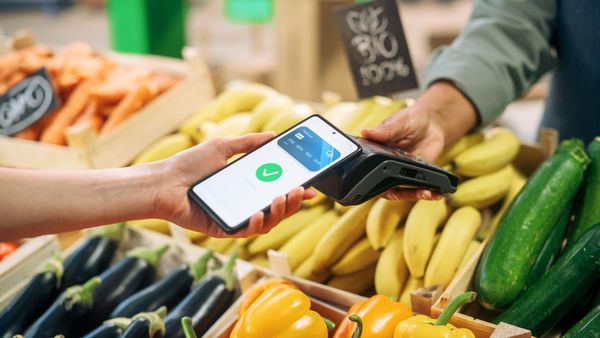
How QR payments work
A customer scans a QR code with their phone camera. The code opens a secure payment page, where they enter the amount or confirm a set one and pay with their phone. The provider records the payment and sends the money to your account. Wikipedia explains the QR code payment model in more general terms.
Choose a provider
- Fees on each sale, plus any monthly or set-up charges.
- How quickly takings reach your bank.
- Whether the code is fixed, or created for each sale.
- Which payment methods customers can use on the page.
- Receipts and sales reports for your records.
- Support when something goes wrong.
Providers differ, so compare them. Payment fees for market traders shows what to look for, and card reader or QR payment compares QR with a reader.
Create and test your code
- Sign up and complete the provider's identity and business checks.
- Create your payment page or code and check that the business name shown to customers is correct.
- Scan the code with your own phone and pay a small amount.
- Check that the payment appears in your account or reports.
- Refund the test payment if the provider supports it.
Display it clearly
Print the code at a size that scans easily from a short distance, and place it where customers stand to pay, away from glare. Add a short line such as the accepted methods and the business name. If you use a banner or table sign, see gazebo branding and printing for ideas.
Keep it secure
- Check your code regularly in case someone has placed another code over it.
- Print a new copy if it becomes worn or damaged.
- Keep your account login private and use any extra security the provider offers.
- Never write down customer card details.
See keeping takings safe for more on protecting money and data at a stall.
Plan for a poor signal
Customers need a signal to pay, and busy events can slow mobile data. Ask the organiser about coverage, test at the venue, and carry a backup such as cash, a second payment method or a card reader. What to do when the signal drops covers backup options.
When QR works well
QR payments suit stalls with a queue, because customers pay on their own phone while you serve the next person. They also suit stalls with low-cost, high-volume items and traders who want to avoid buying a reader. A reader can suit customers who prefer a chip or contactless card, so many traders offer both.
Refunds and receipts
Ask your provider how refunds work and how a customer gets a receipt. Tell customers how to find their payment confirmation on their phone. Keep the details of any refund so your records match your takings.
Record your sales
Keep your sales reports. Takings from QR payments are trading income that you report to HMRC in the same way as cash.
Frequently asked questions
Do customers need an app to pay by QR code?
It depends on the provider. Many QR payments open in the phone browser or the phone's wallet, so check how your provider handles it.
Is a QR code payment safe for a stall?
It can be, with a reputable provider, a regular check that no one has covered your code, and the account security the provider offers.
What happens if the customer has no signal?
They cannot complete the payment. Keep cash or a card reader as a backup.
Can I use QR payments and a card reader together?
Yes. Many traders offer both, so customers choose the method that suits them and queues move faster.
Gazebos built for regular pitches
Once a pitch is confirmed, the stall needs to fit it. Gala Tent makes market stall gazebos for traders who set up week after week.
Useful pages on our sister sites
Event Industry Trader is published by Gala Tent. These pages from Gala Tent and the wider Gala group go further on the kit, branding and payments covered here.
Where to check the rules
Rules vary by council and by event. Confirm requirements with the organiser and the relevant authority before you act.